McDonald's Promo Code: There's No Code, But Here's What Actually Saves You Money
If you're in the U.S., McDonald's doesn't use a traditional promo code that you type in at checkout. The fastest way to save depends on how you order: first-time app user → claim the new-user offer; used the app before → check today's Deals; order regularly → use Rewards; want the cheapest option without an app → check the McValue menu. So don't waste time hunting for a code to enter. The real savings come from choosing the discount mechanism that fits your order. Here's how each option works, how to actually activate it, and which one makes the most sense for your situation.
Manually reviewedChecked against official app behavior
IndependentNot sponsored or owned by McDonald's
No fabricated codesWe don't publish fake promo codes
Updated regularlyLast-checked date on every guide
Right now
McDonald's Official Offers and Deals: September 2026
Checked directly against McDonald's official deals page on September 22, 2026. Participation still varies by restaurant.
Monopoly at McDonald's Is Back
What you get
A chance at prizes ranging from a $1,000,000 cash prize to vehicles, cruises, and free food, by collecting game pieces or playing the in-app Chance Card Game
Terms
Game begins 10/6/26. Must be opted into Rewards and registered in the app before ordering to earn a Bonus Chance Card. No purchase necessary; a free mail-in entry method is also available. Full rules apply.
Free Medium Fries
What you get
Free medium Fries with any $1+ purchase
Terms
App only, once a week, valid through 10/4/26. Must opt in to Rewards. Excludes McDelivery.
$2 Breakfast Sandwich
What you get
Sausage, Egg & Cheese McGriddles, Bacon, Egg & Cheese Biscuit, or Egg McMuffin for $2
Terms
App only, once a week, valid through 10/4/26. Excludes delivery.
Free 10 pc. McNuggets
What you get
Free 10 piece Chicken McNuggets with a first app purchase of $1+
Terms
First-time app users only, once, valid through the last day of the month. Can take up to 48 hours to appear.
McValue Under $3 Menu
What you get
Sausage McMuffin, McChicken, McDouble, 4 pc. Chicken McNuggets, small Fries, Hash Browns, and more, each under $3
Terms
Ongoing, no app or account required. Price and participation vary by restaurant.
Extra Value Meal
What you get
$5 Sausage McMuffin with Egg Meal or $8 Big Mac Meal, plus Quarter Pounder with Cheese Meal, 2 Snack Wrap Meal, and McCrispy Meal
Terms
Limited time only. Price and participation vary. Prices may be higher for McDelivery.
McValue also runs a $4 Breakfast Meal Deal (Sausage McMuffin or Biscuit, Hash Browns, small coffee) and Meal Deals starting at $5 for lunch through late night (McDouble or McChicken, 4 pc. Nuggets, small Fries, small drink). Both are ongoing at participating restaurants.
The basics
How Does Each Savings Mechanism Actually Work?
McDonald's runs five separate systems, not one. Mixing them up is the biggest reason people feel like they're missing a discount that was never available to them in the first place.
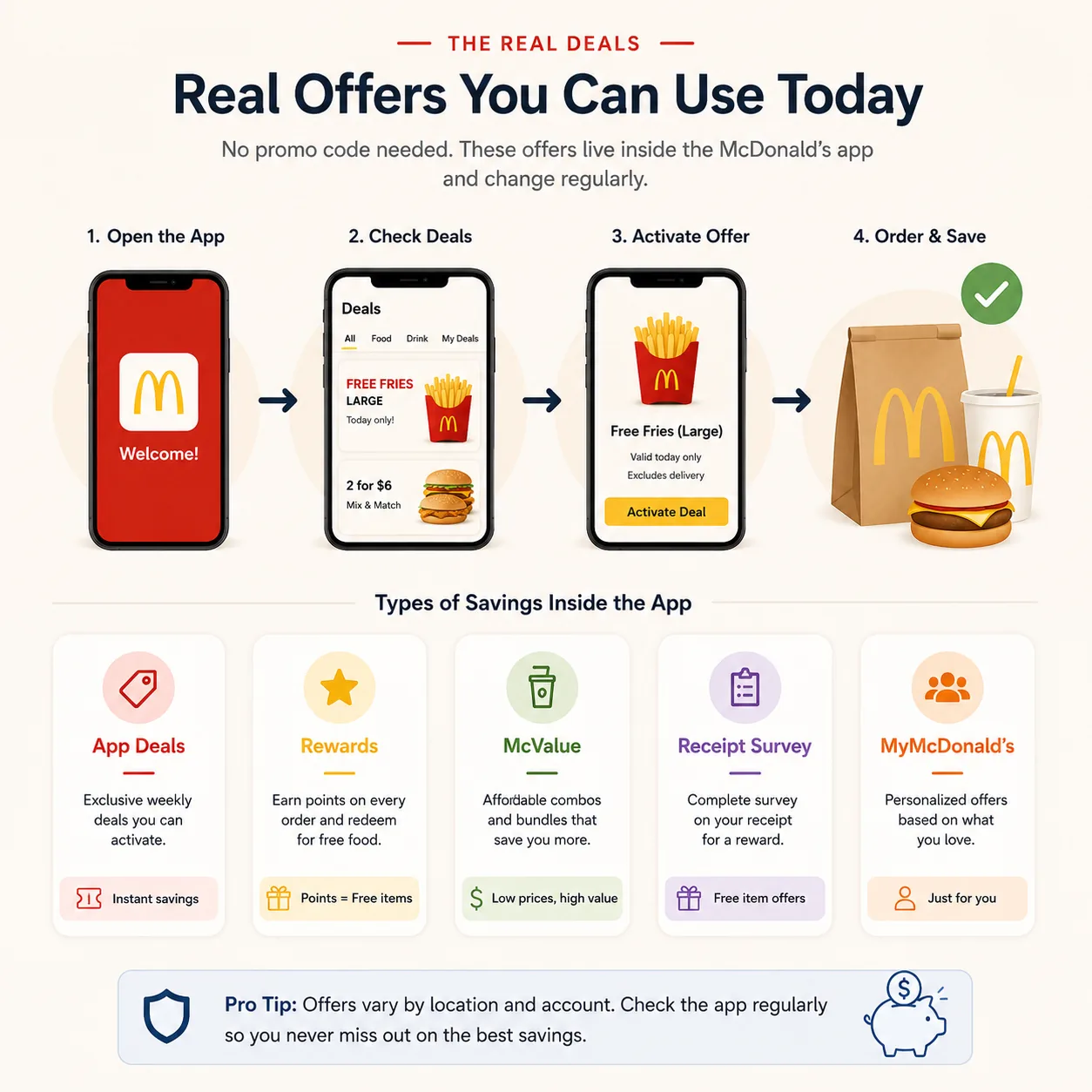
App Deals
How it works
Activated in the Rewards & Deals tab, redeemed via "Add to Mobile Order" or a 4-digit code at the register. One per person, per visit.
Who qualifies
Anyone opted into MyMcDonald's Rewards, at participating restaurants
Best for
A quick, one-time discount on a specific item today
MyMcDonald's Rewards
How it works
Earn 100 points per $1 spent (pre-tax); redemption is tiered: commonly cited thresholds run from around 1,500 points (~$15 of spend, a small side or drink) up through 4,500 and 6,000+ points for larger items like a Big Mac or Quarter Pounder; points expire 6 months after earning
Who qualifies
Anyone opted into Rewards
Best for
Customers who order more than once. It's an accrual program, not an instant discount
Anyone, at participating restaurants (no code, no account required)
Best for
Anyone who just wants a cheaper meal today, no app gymnastics
New-user first-purchase offer
How it works
A one-time free/discounted item for first-time app users on a qualifying $1+ purchase
Who qualifies
First-time app users only, once
Best for
Someone downloading the app for the first time
Receipt survey voucher
How it works
Some receipts print a short survey code; completing it online unlocks a separate free/discounted item for your next visit
Who qualifies
Anyone with a qualifying receipt
Best for
A discount you may already have earned and forgotten about. Check before you toss the receipt
One honest caveat on the new-user row: the exact item McDonald's is giving new users right now genuinely changes. Different sources this month describe it as free fries, free nuggets, or a free sandwich. Rather than name one and risk being wrong by the time you read this, check your app's Deals tab after signing up; the offer is real, but the specific item is a moving target. The same caution applies to any specific rotating weekly deal you might see mentioned elsewhere (including recurring Friday-style offers): these have started, paused, and restarted before, so treat any specific name as something to confirm live in your own Deals tab rather than a permanent fixture. And on the receipt survey row: this pattern shows up consistently across independent sources, but hasn't been directly confirmed on an official McDonald's page. Treat it as a real but unofficial-source mechanism, worth two minutes to check, not a guarantee.
Five tools, each suited to a different situation. Next: how to actually turn any of them on.
Getting started
How Do You Actually Activate a Deal?
The mechanism doesn't matter if you can't get it to apply at the register. The steps are the same regardless of which of the five you're using:
Open the McDonald's app and confirm the location is set to the restaurant you're actually ordering from. Deals are location-specific, not universal.
Make sure you're opted into MyMcDonald's Rewards. Deals literally won't display in the tab if you skipped this during setup.
Open the Deals tab and pick the offer that matches your situation from the section above.
Activate it. For a Mobile Order, this attaches the discount automatically. For in-person ordering, it generates a 4-digit or QR code.
At the register or drive-thru speaker, show the code before you start ordering, not after. Activating a deal mid-order is one of the most common reasons a deal fails to apply (more on this below).
At pickup, a Mobile Order applies the discount automatically; an in-person order needs the code shown at handoff, not just activated on your phone.
Five minutes the first time, seconds every time after. Next: which of the five mechanisms actually wins for your specific order.
Compare
Which One Actually Wins For Your Order, And Why?
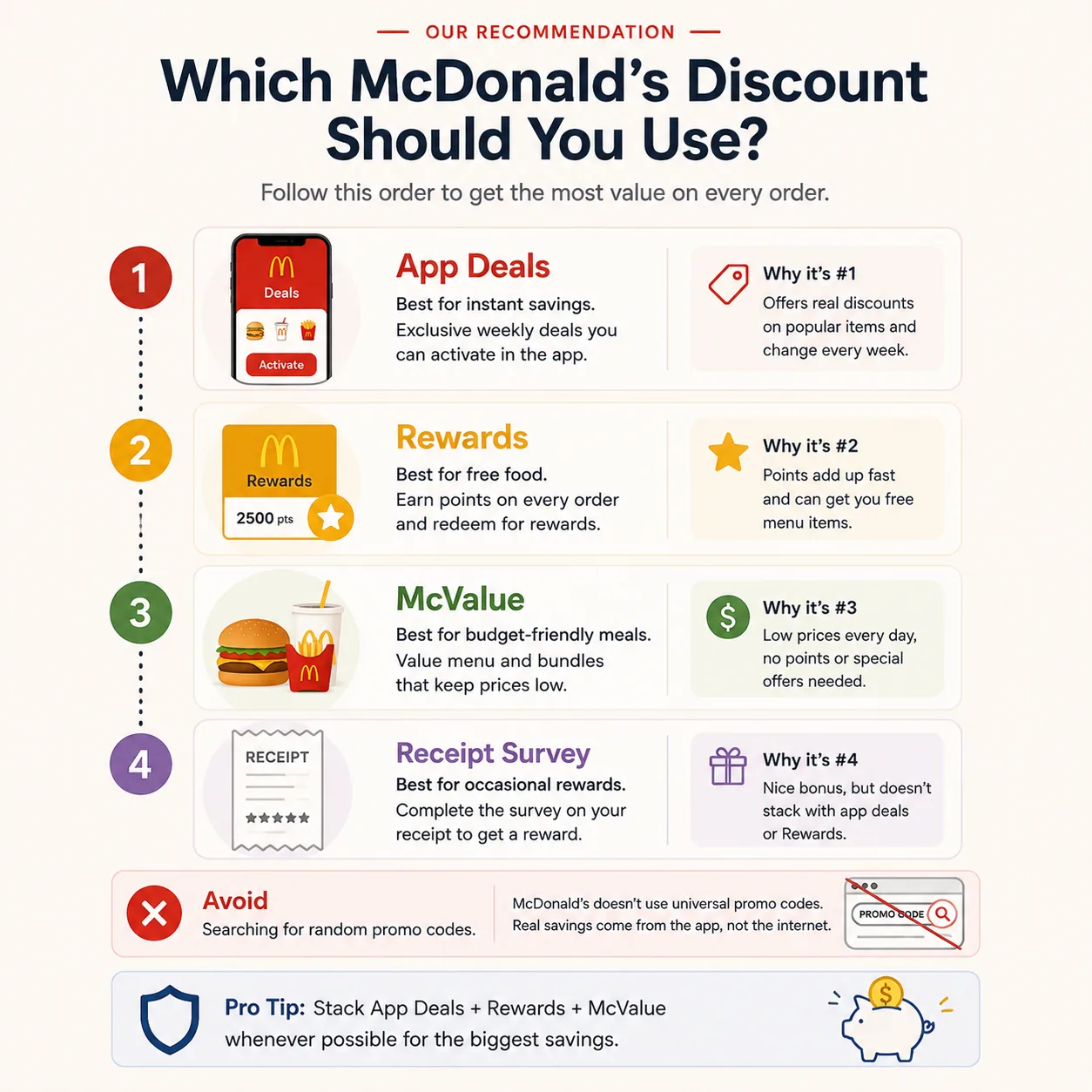
First time using the app, ordering today: Take the new-user first-purchase offer. It's the one mechanism designed specifically to reward a first order, and it stacks with nothing else you'd need on a first visit anyway.
You've used the app before but don't have Rewards points banked yet: Check the Deals tab first. A live Deal usually beats waiting to accumulate 1,500 points, since Rewards is built for volume, not a single visit.
You order McDonald's regularly (multiple times a month): Prioritize Rewards. Every dollar you'd spend anyway earns points at the same 100-per-$1 rate whether or not a Deal is active, so the free item you eventually redeem is savings you weren't chasing item-by-item. Treat Deals as a bonus on top, not your main strategy. As a rough anchor: ordering twice a week at roughly $12 an order works out to around 2,400 points a month, enough to clear the lower redemption tier in a matter of weeks without any extra effort beyond opting in.
You just want the cheapest possible meal with no account, no app, no research: Order straight from the McValue menu at the counter or drive-thru. It's the only mechanism here that doesn't require opting into anything.
Your order is large (feeding a family, big group order): Compare the McValue Meal Deal price against a Deal you already have active. At higher order values, a flat-dollar Deal often matters less than picking McValue-priced items across the whole order.
You're holding a recent receipt: Check it for a survey code separately. It won't discount today's order, but it can set up a free item for your next one, worth the two minutes before you throw it away.
One thing that doesn't change any of this: how you're picking up the food, as long as it's pickup, drive-thru, or in-app McDelivery. Third-party delivery apps are different enough to deserve their own comparison, which is next.
Delivery vs. pickup
Is a Delivery Promo Code Actually Cheaper Than Picking It Up?
Usually, no. Even with a delivery-app promo code, delivery is still typically more expensive than pickup once fees are counted.
Independent cost research comparing McDonald's in-restaurant pricing to third-party delivery pricing found delivery orders running roughly 65–95% higher than the same order picked up directly, once delivery fees, service fees, and menu markups are added, before any tip. A $5-off first-order code from a delivery app is real money, but it's being applied against a bill that's already inflated by that same margin.
Pickup / drive-thru (app Deal or McValue)
Third-party delivery (with a promo code)
Menu pricing
Standard in-restaurant pricing
Often higher than in-restaurant pricing
Extra fees
None beyond tax
Delivery fee + service fee (calculated on the pre-discount subtotal) + tip
Rewards points earned
Yes, on money actually spent
No, third-party delivery orders don't earn MyMcDonald's Rewards
Typical result
Lowest total in most cases
Frequently 65%+ higher than pickup, even after a discount code
The one case this flips: if you genuinely can't get to a restaurant, a delivery promo code still beats paying full delivery price. It just isn't a substitute for pickup savings, it's damage control on a more expensive channel. If saving the most money is the actual goal and pickup is an option, it usually wins before you even look for a code.
Ordering through McDonald's own app for delivery (McDelivery) splits the difference: you still pay delivery/service fees, but you keep earning Rewards points on the food portion, which a third-party app order won't give you.
Troubleshooting
Why Isn't the Deal You Saw Available in Your App?
Almost always one of five reasons, and none of them mean the deal is fake or your app is broken.
Your restaurant hasn't opted in. McDonald's locations are independently owned. National deal announcements are frequently marked "at participating locations," and plenty of franchises simply don't run every promotion. This is confirmed repeatedly by users comparing notes across states and seeing completely different results for the same advertised deal.
It's a personalized offer, not a public one. Some Deals are targeted to specific accounts based on order history. Someone else seeing it doesn't mean it's live for you.
It already expired or rotated out. Many Deals are time-boxed to a single day or week; a screenshot from last week's Deals tab isn't a promise it's still there. If a Deal is still visible but its window has closed, it typically won't apply at checkout even though it hasn't disappeared from your screen yet. Don't assume visible means valid.
You're not opted into Rewards. Deals are only visible to accounts that have opted into MyMcDonald's Rewards. If you skipped that step during setup, the Deals tab will look emptier than it should.
You activated it too late at the drive-thru. A Deal generally needs to be attached before you reach the speaker. Activating it after you've already started ordering is often too late to apply.
If none of those explain it, the deal simply isn't running at your restaurant right now. The fix isn't to search harder for a code; it's to see what is currently active in your own Deals tab and use the framework above on whatever's really there.
Combination rules
Can You Combine a Deal With Your Rewards Points?
Mostly no across the board, with one combination that's commonly reported as working but not something McDonald's spells out directly.
Combination
Allowed?
App Deal + another app Deal
No, one per order
App Deal + a delivery-platform promo (DoorDash, Uber Eats)
No, these are separate systems and don't transfer
App Deal + Rewards redemption in the same order
Commonly reported as allowed, not explicitly confirmed in McDonald's own published terms
Deal terms commonly state a Deal "may not be combined with any other offer, discount, coupon, or combo meal," and Rewards redemption is separately capped at one reward per order. Whether a Deal and a Rewards redemption can technically sit together in one order isn't spelled out either way in McDonald's own published FAQs. But it's a combination multiple independent guides describe as working in practice, more consistently than a genuine coin-flip. Treat it as likely to work, not guaranteed: if it's a large or important order, don't bet on the combination. Pick whichever one is worth more for this specific order, and save the other for your next visit if it doesn't go through.
FAQ
Quick Answers
No, not in the U.S. There's no checkout box where a typed code unlocks a discount. Every real discount runs through the app's Deals tab, Rewards, McValue pricing, or a receipt survey voucher instead.
Activate it in the Deals tab before you order, then show the 4-digit code or QR code at the counter or drive-thru speaker, before you start ordering, not after.
No. Only orders placed through McDonald's own app (whether pickup or McDelivery) earn MyMcDonald's Rewards points. Third-party platform orders don't.
Commonly reported as working, but McDonald's own terms don't explicitly confirm it either way. Treat it as likely, not guaranteed, especially on a large order.
It's usually expired but not yet removed from your screen, tied to a location that hasn't opted in, or personalized to a different account. Visible isn't the same as valid. Check the details on the deal itself.
Final recommendation
What To Do Right Now
Open the app, check your Deals tab, and match what you find to your situation: first order, take the new-user offer; occasional order, take the best live Deal; regular customer, let Rewards points accumulate and treat Deals as a bonus; big or one-off order with no account at all, just order off the McValue menu; holding a recent receipt, check it for a survey code separately. If you're tempted by a delivery promo code, run the pickup total first. It's very likely still lower, code or no code.
If you're also weighing other McDonald's savings questions:
Ordering just a coffee and wondering if age-based savings beat an app Deal? That comparison varies by location. Check the senior discount guide before assuming either wins automatically.
Heard students get a discount? That claim circulates widely but isn't currently accurate. The student discount guide covers what to use instead.
Still looking for the old buy-one-get-one-for-$1 deal? It ended. The BOGO guide covers where two-for-one savings still show up today.